If you’re building a website in WordPress, you’ve probably heard of Elementor. It’s one of the most popular page builders out there, and for good reason. But before you dive in, it helps to understand what it actually is and why it exists.
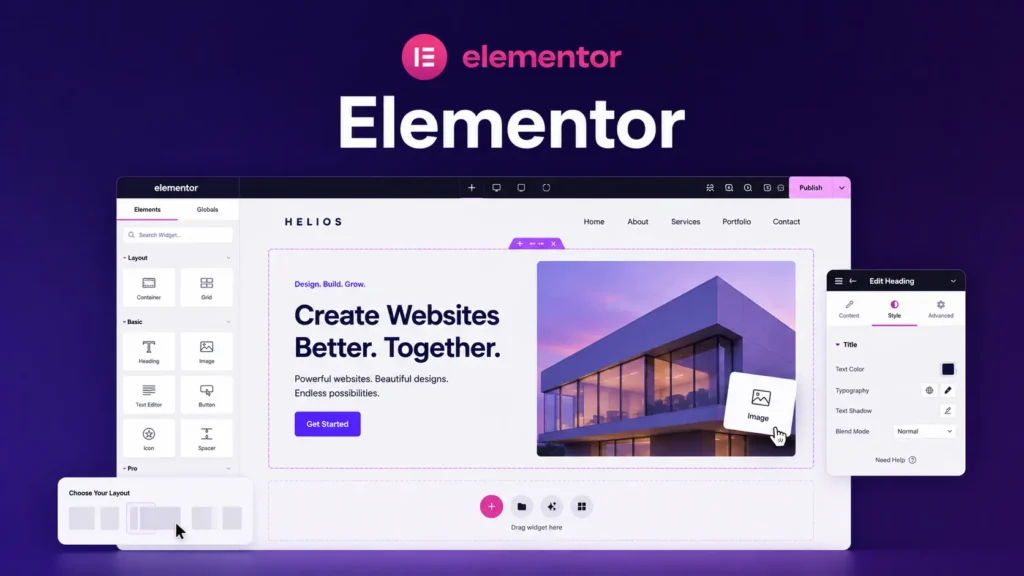
At its core, Elementor is a visual page builder for WordPress. It lets you design your pages by dragging and dropping elements onto a canvas instead of writing code or using traditional WordPress block editing. You see what you’re building as you build it. That’s the main appeal.
But there’s more than just drag and drop. Understanding how Elementor works and where it fits in WordPress matters.
The Problem It Solves
WordPress has always had a fundamental tension. You want a platform that’s flexible and powerful. At the same time, you want something that doesn’t require you to be a developer.
For years, that was a real problem. If you weren’t comfortable with code, you were limited. You could use pre-built themes, but customizing them meant diving into PHP or hiring someone to do it. If you wanted to build something custom without coding, you were stuck.
Page builders like Elementor came along to bridge that gap. They give non-technical people the ability to design pages visually. You don’t need to know HTML or CSS. You just need to understand layout and design basics.
From a technical standpoint, Elementor takes your visual design and converts it into WordPress code in the background. You don’t see that happening. Elementor handles it for you. You just build, and it outputs the necessary HTML and CSS.
How Elementor Actually Works
When you use Elementor, you’re working on what’s called the “builder canvas.” This is a visual representation of your page. Everything you see on the canvas corresponds to actual code that Elementor generates. Text blocks, images, buttons, columns. All of it becomes code.
Here’s the basic flow. You add elements (like containers, text blocks, or images) to your page. You arrange them. You style them by changing colors, spacing, fonts, and sizing. Elementor stores all of this information and translates it into the HTML and CSS that makes your website work.
Out of the box, Elementor comes with a library of pre-built widgets. These are reusable components like buttons, image galleries, testimonial boxes, and form fields. Instead of building these from scratch, you can drop a widget onto your page and customize it to fit your needs.
You can also use pre-built templates. These are full page designs that Elementor provides. You can start from scratch or use one of these templates as a foundation and customize it to match your brand.
The key thing to understand: everything you build in Elementor is stored in your WordPress database. When someone visits your website, WordPress loads your page and Elementor serves up the design you created. It’s all tied directly to your WordPress site. No external service doing the rendering.
When Elementor Makes Sense
Elementor is genuinely useful if you want to build custom page layouts without writing code. It’s faster than learning CSS. It gives you more control than using a pre-made theme out of the box. And it integrates directly with WordPress, so you’re not learning a whole new platform.
Homepages, landing pages, or service pages where you want custom layouts. That’s where Elementor shines.
That said, Elementor isn’t a magic solution. It has limits, and understanding those limits upfront saves frustration.
What Elementor Doesn’t Do
Here’s where honesty matters. Elementor is a design tool, not a complete website solution. It helps you build page layouts and style individual elements, but it doesn’t solve everything.
Elementor handles the visual side of your site. It doesn’t manage your WordPress settings, your site structure, or your SEO fundamentals. Those are still WordPress’s job. You still need to understand WordPress basics like posts, pages, categories, and how those relate to each other.
Elementor also won’t automatically make your site fast or mobile-friendly. You can build mobile-friendly layouts in Elementor, but that requires understanding responsive design and actually implementing it. Out of the box, Elementor gives you the tools, but you need to use them correctly.
Similarly, if you’re relying on too many plugins to extend Elementor’s functionality, you end up with bloat. Elementor is powerful on its own, but each plugin you add increases complexity and slows things down. Knowing what you actually need versus what sounds nice is critical.
Elementor vs. Other Approaches
It helps to know how Elementor compares to other ways of building WordPress sites.
If you use a theme without Elementor, you’re typically limited to the layouts that theme provides. You can customize some things like colors, fonts, or spacing, but you can’t fundamentally change how the page is structured. Elementor removes that constraint.
If you’re comfortable writing CSS, you might not need Elementor at all. You can just write custom CSS and use WordPress’s built-in editor. Elementor is for people who want visual design control without learning CSS.
If you’re using WordPress’s native block editor (Gutenberg), that’s also a valid approach. It’s simpler than Elementor and comes built into WordPress. For basic pages, blocks might be enough. Elementor is more powerful but also more complex.
The choice between these approaches depends on what level of control you need and how comfortable you are with different tools. There’s no objectively “best” option. It depends on your skills and your project.
The Right Mental Model
Think of Elementor as a bridge between design and code. You design visually, and Elementor translates that into code. That’s powerful, but it also means you still need to understand some of the fundamentals underneath.
You don’t need to know HTML or CSS to use Elementor, but understanding basic web design concepts helps a lot. Layout, spacing, responsive design, and how different elements relate to each other. These fundamentals will make you much more effective.
Elementor gives you the tools. Understanding how those tools work is what makes you good at using them.
What’s Next
Now that you understand what Elementor is and how it fits into your WordPress workflow, the next step is learning how to actually use it. The core building block in Elementor is the container, and understanding how containers work is crucial to designing effective pages.
That’s what we’ll cover next.