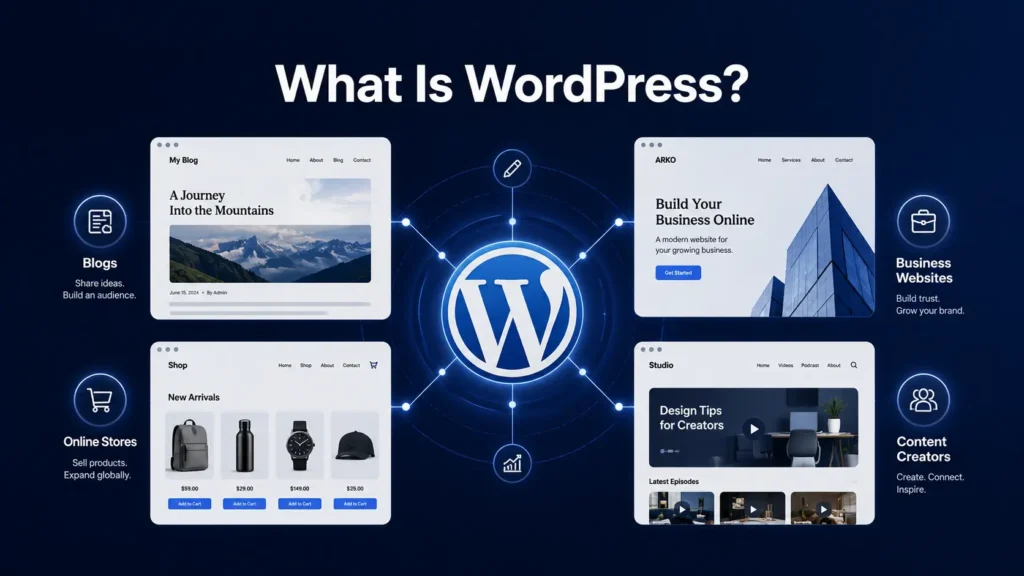
If you’ve spent time looking into how to build a website, you’ve likely heard the name WordPress. Maybe someone recommended it, maybe you saw it come up in a Google search, or maybe you have no idea what it is and you’re starting from nothing.
The Simple Explanation
WordPress is software that lets you build and manage a website, without writing code from scratch.
You install it, log in, and you’ve got a back-end dashboard where you can create pages, write posts, upload images, and control how your site looks and behaves. Everything is managed through a web browser. No coding required to get started.
That said, it’s not a drag-and-drop website builder like Wix or Squarespace. It’s more flexible and powerful, though it does take a bit more setup and know-how to use well. If you do want drag-and-drop functionality like Wix or Squarespace, WordPress offers plugins you can install to add that feature and expand your site’s functionality.
How Much of the Internet Runs on WordPress?
This part usually surprises people.
As of 2024, WordPress powers approximately 43% of all websites on the internet. That’s not 43% of small blogs or hobbyist sites—that’s 43% of everything. News outlets, e-commerce stores, portfolios, government sites, membership platforms, and everything in between.
To put that in perspective: of all the websites currently online, nearly half of them are running on the same platform you could set up this weekend.
There’s a reason for that. WordPress has been around since 2003, it’s open source (meaning it’s free to use and constantly improved by a global community of developers), and it’s flexible enough to handle nearly any type of site you can imagine.
What Can You Actually Build on WordPress?
Quite honestly, the list is longer than most people expect.
Blogs and content sites — This is what WordPress was originally built for, and it still does it better than almost anything else. Editorial workflow, categories, tags, RSS, comments—it’s all built in.
Business websites — Service pages, contact forms, team pages, about sections. A standard business site is one of the most common use cases.
E-commerce stores — With WooCommerce (a free WordPress plugin), you can run a full online store with product pages, inventory management, checkout, shipping, and payment processing.
Portfolio sites — Designers, photographers, developers, and freelancers use WordPress to showcase their work professionally.
Membership and subscription sites — With the right plugins, you can restrict content, manage paid memberships, and run a subscription-based platform entirely on WordPress.
News and magazine sites — Large publications use WordPress to manage high volumes of content, contributors, and editorial workflows.
Landing pages and marketing sites — With a page builder like Elementor, you can build high-converting pages without touching code.
Online courses — Plugins like LearnDash or LifterLMS turn WordPress into a full learning management system.
The point is, WordPress isn’t locked into one type of website. The platform adapts to what you need—which is a big part of why it’s taken such a large share of the internet.
What WordPress Is Not
It’s worth clearing this up early, because a lot of beginners get confused here.
WordPress is not a hosting company. You can’t just go to WordPress.org and have a live website. You need two separate things:
- A hosting account — This is the server where your website actually lives. Companies like SiteGround, Kinsta, Cloudways, and WP Engine all specialize in WordPress hosting.
- WordPress itself — The software you install on that server.
There’s also WordPress.com, which is a separate product that bundles hosting and WordPress together. It’s easier to start with, but it’s more limited. If you want full control over your site—plugins, themes, custom code—you want WordPress.org, self-hosted on your own server.
From a technical standpoint, the difference matters. Most of what you’ll find in tutorials (including on this site) is based on the self-hosted version.
Why WordPress and Not Something Else?
This is a fair question, and I’ll give you a direct answer.
Platforms like Wix, Squarespace, and Showit are easier to get started on. If you need a simple site live in a few hours with minimal technical setup, those are reasonable options.
But here’s the issue—out of the box, those platforms trade flexibility for convenience. You’re renting space inside their system, and you’re limited to what they allow. You can’t install arbitrary plugins, you can’t fully own your data, and if they raise prices or change their terms, your options are limited.
WordPress is different. You own your site. You control your hosting. If you want to switch providers, you take your site with you. If you need a specific feature, there’s almost certainly a plugin that handles it. If you need something completely custom, a developer can build it directly.
That kind of control matters—especially if you’re building something you plan to grow.
This Site Runs on WordPress
Manzari.com is built on WordPress. Not because it’s the default choice, but because it fits the actual requirements.
The site runs tutorials, tool comparisons, and in-depth guides. That means it needs a content management system that handles a growing library of posts, structured categories, custom layouts, and performance optimization—without getting in the way.
WordPress handles all of that cleanly. Combined with a lean theme setup and Elementor for page design, the workflow is straightforward and the site performs well.
I’d honestly lean toward WordPress for most small business owners, freelancers, and website managers who want real control over what they’re building. It has a learning curve, but once you understand how it’s structured, it works with you instead of against you.
The Bottom Line
WordPress is the most widely used website platform in the world for a reason. It’s flexible, it’s open source, it’s backed by a massive developer community, and it can handle almost any type of site you need to build.
It’s not the easiest starting point—but it’s the right one if you’re building something you plan to own and grow long-term.
If you’re new to it, start with the basics: get hosting, install WordPress, and get familiar with the dashboard before adding anything else. The platform rewards people who take the time to understand it.