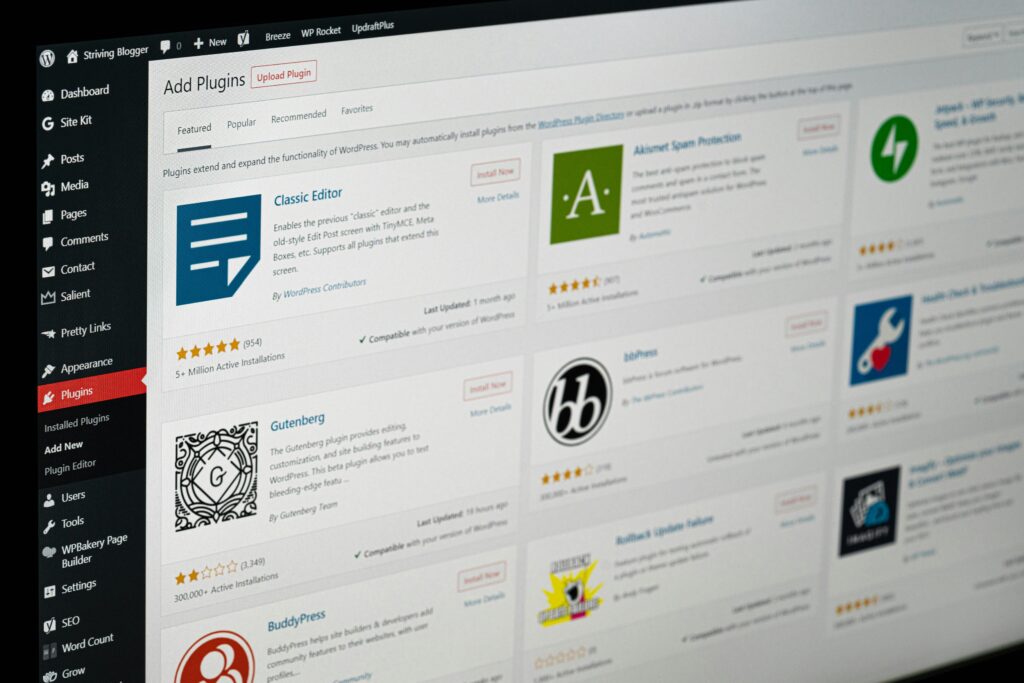
If you’re new to WordPress, you’ve probably heard people say “just install a plugin for that.” But what is a plugin?
So, what exactly is a WordPress plugin?
Think of your WordPress website like a smartphone.
When you first get a phone, it can make calls, text, browse the web, and take photos. But if you want it to track your workouts, edit videos, or order takeout, you download apps.
So basically in a nutshell, WordPress plugins are the “apps” for your website.
Your base WordPress site can publish blog posts and pages out of the box. A plugin adds new features or changes how your site works — without you needing to touch any code.
What can plugins actually do?
Short answer: almost anything. Here are common things beginners use plugins for:
| What you want to do | Plugin example type | Real-life example |
|---|---|---|
| Build pages with drag-and-drop | Page builders | Elementor, Divi, Beaver Builder |
| Sell products online | eCommerce | WooCommerce turns your site into a store |
| Show up on Google | SEO tools | Yoast SEO, Rank Math help optimize posts |
| Stop spam comments | Security/Anti-spam | Akismet filters junk automatically |
| Speed up your site | Performance | WP Rocket, W3 Total Cache |
| Add a contact form | Forms | WPForms, Contact Form 7 |
| Back up your site | Backups | UpdraftPlus saves a copy to Dropbox/Google Drive |
| Connect social media | Social sharing | Lets visitors share your posts to Instagram, X, etc. |
Basically, if you think “I wish my site could ___,” there’s probably a plugin for it.
Where do you get plugins?
- The WordPress Plugin Repository
This is the official “app store” built right into WordPress. It has 60,000+ free plugins.
To find it: In your WordPress dashboard go toPlugins → Add Newand search. - Third-party sellers
These are premium plugins you buy from companies. They usually have more features, dedicated support, and updates. You download a .zip file and upload it underPlugins → Add New → Upload Plugin.
How do you install a plugin? For beginners:
- Log into your WordPress dashboard
- Click
Plugins→Add New - Search for what you need, like “contact form”
- Click
Install Now, thenActivate - Look for a new menu item in your dashboard to set it up
That’s it. No coding.
3 quick rules to avoid plugin problems
WordPress is powerful because of plugins, but too many or the wrong ones can slow your site down or break things. Stick to these:
- Only install what you need
15–20 quality plugins is fine. 60 random ones is not. If you’re not using it, delete it. - Check the ratings and “Last Updated” date
In the repository, look for 4+ stars, 10,000+ installs, and updated within the last 6 months. Outdated plugins = security risk. - One job, one plugin
Don’t install 3 SEO plugins or 4 backup plugins. They’ll conflict. Pick the best one for each job.
Free vs Paid plugins — what’s the difference?
| Free Plugins | Paid/Premium Plugins |
|---|---|
| Great for basic needs | More advanced features |
| Community support/forums | Direct customer support |
| Found in WordPress.org | Sold on developer websites |
| No cost to start | Yearly fee, usually $30-$200 |
Most beginners can start 100% free. You only upgrade when you hit the limits of the free version.
To sum it all up…
WordPress by itself is like a blank house with walls and a roof. Plugins are the furniture, appliances, and security system that make it livable and fit your needs.
You don’t need to know code. You just need to know what you want your site to do, then find the plugin that does it.
Want me to recommend a starter “plugin stack” for a blog, business site, or online store? Tell me what kind of site you’re building and I’ll give you the exact 5–7 plugins I’d install first.